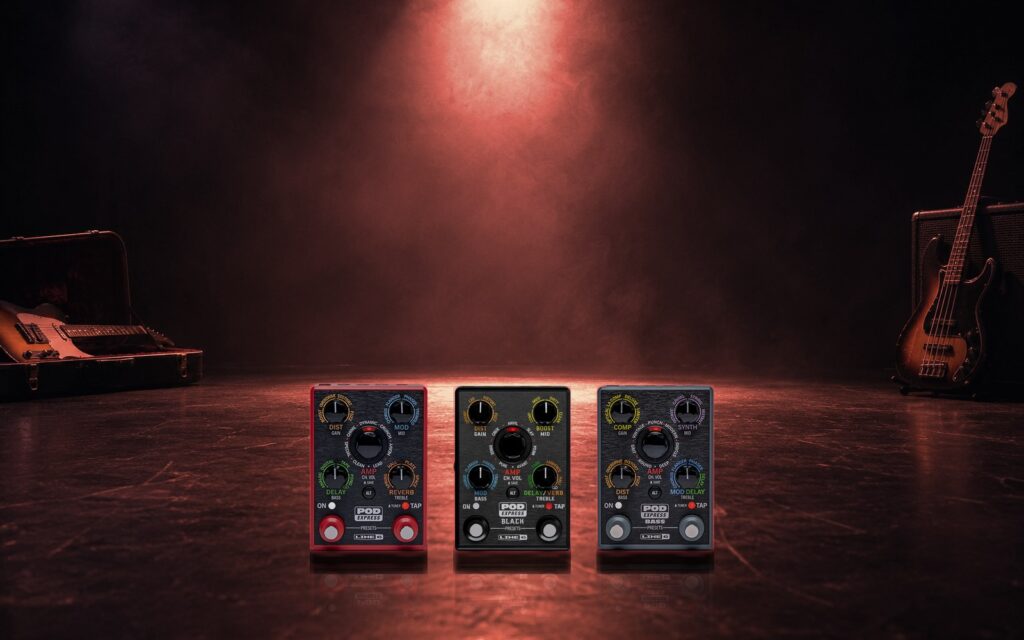
The POD Express is the smallest way into Line 6 modeling: a handful of amps and effects in a pedal you can hold in one hand. Out of the box it has a few factory presets. With a few more loaded it turns into a proper gig rig. Here’s how to get started.
Which POD Express do you have?
There are three, and their presets are not interchangeable. The file ending tells you which pedal a preset is for:
.pxp1: POD Express Guitar (the red one).pxp2: POD Express Bass.pxp3: POD Express Black
Check the ending before you import. On the store, every pack page names the pedal it’s for.
How to load a preset
- Install Line 6’s POD Express Edit app and connect your pedal.
- Choose the preset slot you want to replace.
- Import the preset file into that slot, then save it on the pedal.
- Play through it at a sensible volume and adjust the level to match your other sounds.
Loading a preset replaces what was in that slot, so if you like what’s there, back it up first.
Free packs to grab first
These cost nothing with an account:
- The factory presets. Overwritten one and want it back? Restore any of them without a full factory reset: Guitar, Bass or Black.
- The community collections. Presets shared by members of the POD Express Users group, gathered into two downloads: Vol. 1 (17 presets) and Vol. 2 (18 presets). A good way to hear what the pedal can do.
What to try next
Most of our POD Express packs are three presets built around one job, and cost 3 Picks. New accounts start with 10 welcome Picks, so you can try a few before spending anything. Some places to start:
- Worship: Worship Essentials covers pad swells, a lead and a clean rhythm.
- Rock: Alt Rock has a gritty rhythm, a soaring lead and a punchy clean.
- Lead playing: Soulful Leads is three expressive lead sounds with singing sustain.
- Ambient and post-rock: Post-Rock Dreamscapes has big reverbs and wide delays.
- Acoustic players: there’s a whole run of acoustic packs, such as Worship Acoustic.
See everything for POD Express.
Make them yours
Every guitar is different. If a preset is too bright, dark or gainy with your pickups, adjust the amp’s EQ and gain first. Save a copy of each preset before you edit it, so you can always go back to how it came.